
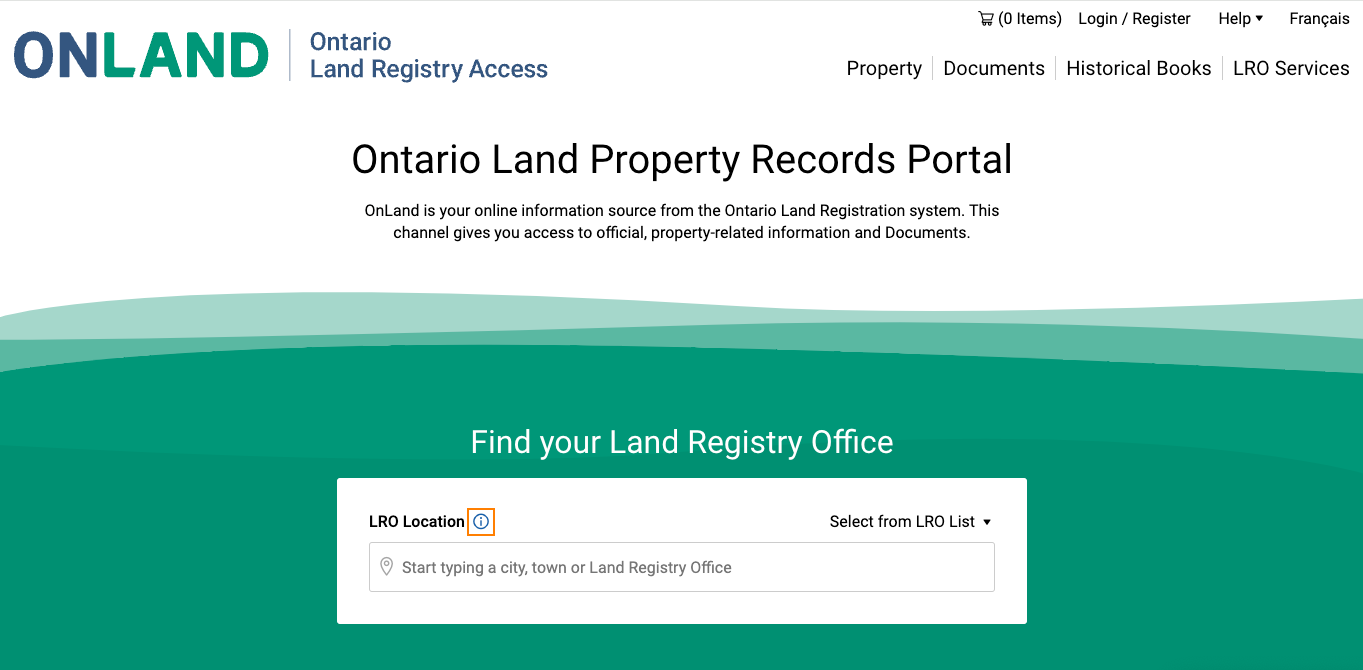
Title searches in Ontario can be obtained by a Toronto real estate lawyer, or online at OnLand.ca. OnLand is the virtual Land Registry Office for Ontario. On this website, you can find, view, and download historical and current information about a property within the province.
The search can also show a rental notice for a hot-water tank or furnace. That is a chattel vs fixture problem as much as a title problem. Get the contract, not just the PIN printout.
A title search is a term used to describe the process of researching public records for information about ownership history, taxes and liens, outstanding claims, easements and covenants, and other encumbrances attached to a property.
A title search will not find mould, a failed foundation, or a grow-op. Those are physical condition and seller disclosure issues, not title.
A real estate closing lawyer will perform title searches to ensure their clients get clear titles to properties without any issues or attachments that could interfere with how it is used. Title searches confirm that the person under contract is truly buying what they expect, and confirm that the person selling the home has the legal right to do so.
On a purchase, this search is one step in the closing process. Title insurance sits on top of it. It is not a substitute for the search.
Get an Instant Quote
Steps for Doing a Title Search With OnLand
From the OnLand homepage, type the name of the city, town, or Land Registry Office for a property. Scroll through the results to find the correct Land Registry Office. Select ‘Property’ from the service options.
Open the menu from the search field. From here, you can search for a property via the map, the property’s identification number (PIN), street address, or the registration number of a related instrument.
Search With a Map
With the ‘Map’ option, view the area of interest from the ‘Zoom’ or ‘Area’ dropdown menu. You can also enter the property’s block number if you know it–the block number is the first five digits of the property’s PIN. Then, type in your name and click ‘Search.’
Select ‘View Map.’ If no parcels are displayed, zoom by using the zoom arrows or slider on the scale to find a property.
Search by PIN
After selecting Property from Land Registry service options as described above, select ‘PIN’ or ‘PIN Range.’ Enter the appropriate numbers and your name, then click ‘Search.’
Search by Address
Select ‘Property’ from the Land Registry service options. Then select the ‘Address’ option and enter the address details. Next, type in your name and click ‘Search.’
Search by Instrument
In Ontario, an instrument is a registered document associated with a property–e.g., mortgage, liens, or condominium declarations. To search by Instrument, select ‘Property’ from the Land Registry service options. Then, select the ‘Instrument’ option. Next, enter the registration number of the instrument.
If you need the prefix for your registration number to indicate the document type, OnLand has a list on the website. To do this, you must enter your name and click ‘Search.’
Special Conditions for Condos
If someone wants to purchase a condo, their lawyer needs to review the property’s Status Certificate. This document details the financial and legal status of condos.
Options for Retrieved Information
From the map, PIN, street address, or instrument results page, you can view a map or request a parcel register. A parcel register contains detailed information about a property's legal description, ownership, encumbrances, and history.
To print the map, select your desired payment method and print. Select ‘Buy Parcel Map’ to download the map and follow the prompts. If you prefer a parcel register, select this option and follow the prompts to pay for the information for one or more properties.
It's always a good idea to print and email your payment receipt. If you’re not familiar with property law basics in Ontario or what a property deed looks like in Ontario, you should enlist the help of a qualified real estate lawyer.
If you are pulling a parcel register to check the Land Titles conversion date, that is the starting document for the First Dealings Exemption.
Get an Instant Quote
Zachary Soccio-Marandola
Real Estate Lawyer
Direct: (647) 797-6881
Email: zachary@socciomarandola.com
Frequently Asked Questions (FAQ)
Can I do a title search myself in Ontario?
Yes. You can search on OnLand, Ontario’s virtual land registry office, by map, PIN, address, or instrument. A real estate lawyer can also pull and read the search as part of a closing.
What is a parcel register?
On OnLand, after you find the property, you can request a parcel register. It shows the legal description, ownership, encumbrances, and history. It is the usual starting document for a title search.
Is a parcel register the same as a title search?
No. A title search is the process of checking the public record for ownership, liens, easements, and other encumbrances. A parcel register is one document from that process. Instruments such as mortgages still have to be opened separately if you need the actual terms.
Do I still need a status certificate if I am buying a condo?
Yes. A title search is not a status certificate. For a condo purchase, the lawyer also reviews the status certificate, which deals with the corporation’s financial and legal status.